HMAC Signature
Before configuring HMAC signatures, complete the Webhooks setup.
Configure HMAC in Adyen Customer Area
- Access your Adyen Customer Area.
- Go to Developers > Webhooks.
- Select the Standard webhook configured for your VTEX store.
- Click Edit webhook.
- In the Security section, generate a new HMAC key.
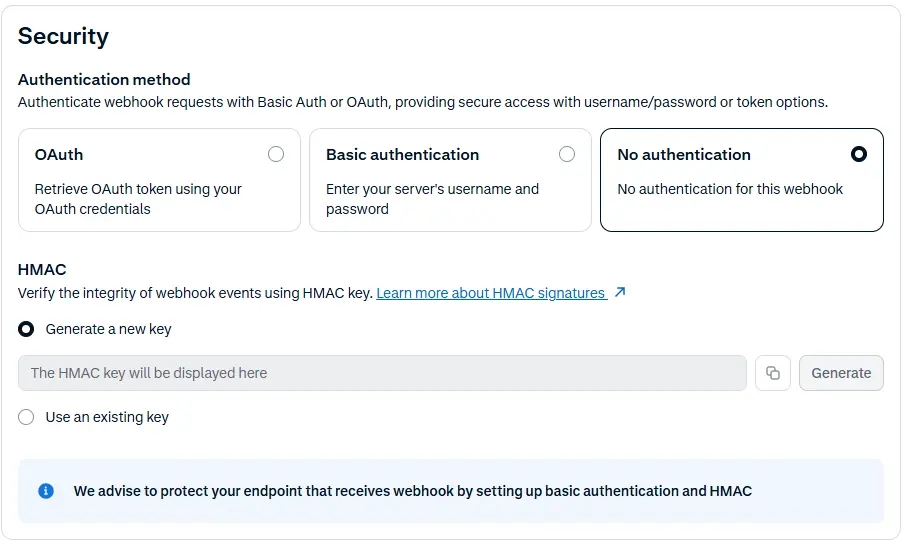
- Copy the key.
- Click Save configuration.
Configure the key in the Adyen provider
- Go to the store's Admin page
https://{{account}}.myvtex.com/admin/. - In VTEX Admin, go to Store Settings > Payments > Providers, or type Providers in the search bar.
- Edit your AdyenV3 provider.
- In the HMAC Key field, paste the same HMAC key you generated in Adyen.

- Click Save.
Was this page helpful?